Getting started
Everything you need for your first hours with Hauban.
What is Hauban?
Hauban is a platform that centralizes all of your company's digital tools in a single portal. Your teams find SaaS apps, internal tools and on-prem services they need, with documentation, access requests, license tracking and Shadow IT detection all in one place.
The goal: replace scattered bookmarks, repetitive IT tickets and license spreadsheets with a single, governed and measurable entry point.
Key benefits
- A single portal to discover and access all your tools
- Tracked, audited access requests
- A clear view of license costs and duplicates
- Automatic detection of Shadow IT and Shadow AI
- Real-time monitoring of critical tools
- Carbon footprint tracking of your stack (Green SaaS)
The Hauban ecosystem
The application catalog sits at the heart of Hauban. Every governance module plugs into it to enrich your overview.
Create an account
You can create a Hauban account in two ways. With an email / password account, a verification email is sent before your workspace is activated; with SSO, your identity provider authentication acts as the verification. It is also during account creation (before onboarding) that you fill in your personal info (name, picture, language), pick your plan (Starter, Business or Enterprise) and provide your payment details.
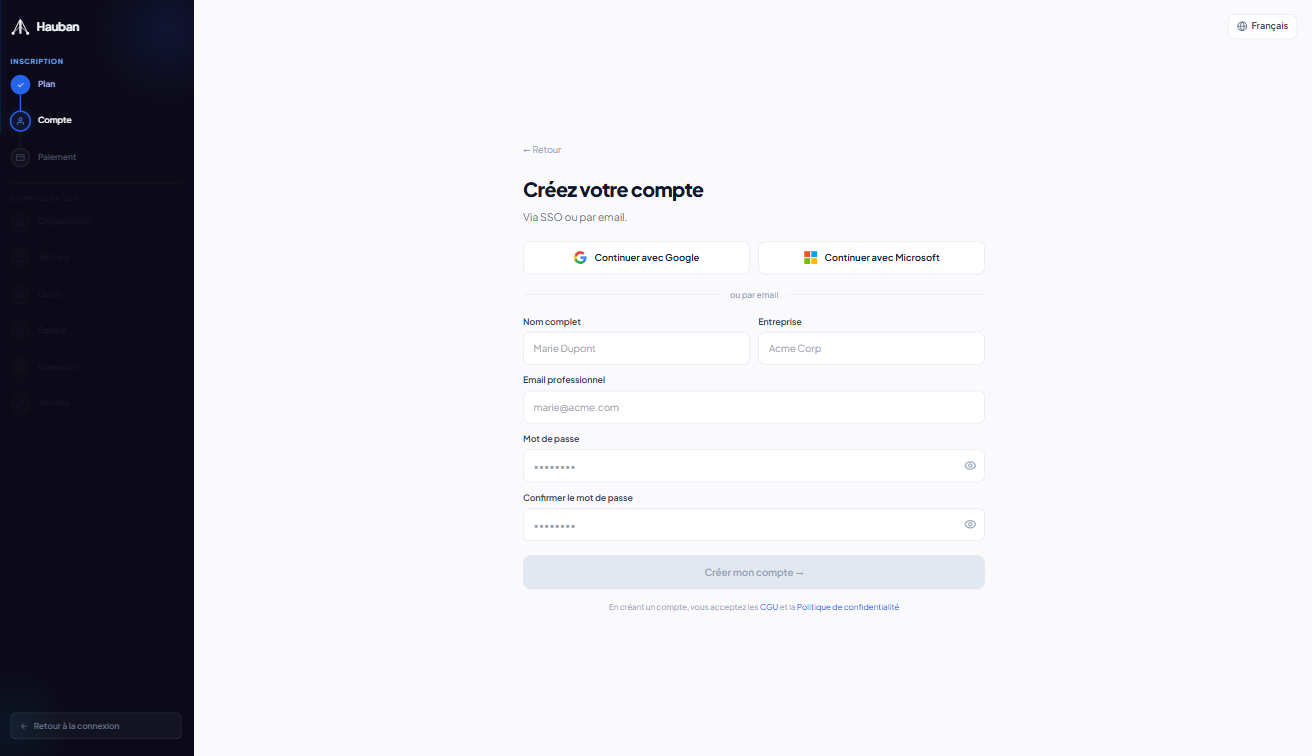
Email & password
Standard sign-up with a work email. You receive a verification link valid for 24h. Once validated, onboarding starts.
SSO (Microsoft Entra ID, Google Workspace)
If your organization has SSO configured (Business feature), sign in directly with your Microsoft or Google identity. No Hauban password to manage, no verification email to validate.
6-step onboarding
On your first login as a Global Admin on a fresh organization, a 6-step assistant guides you through the essentials. Every step is optional - skip it and come back later.
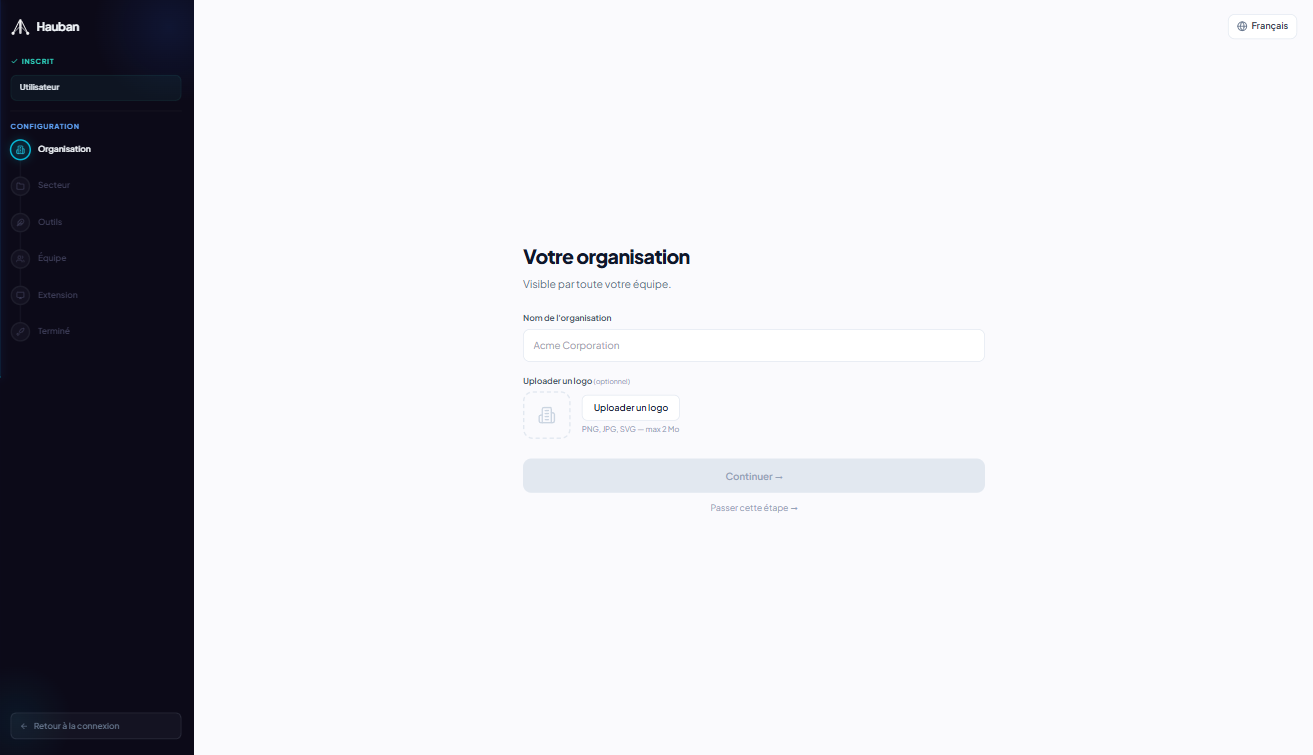
Organization
Set your company name and visual identity.
Industry
Pick your industry to get tailored suggestions.
Apps
Add your first apps with their basic info (name, URL, category). Documentation, access, licenses and monitoring can be filled in later.
Team
Invite your first teammates by email.
Extension
Install the browser extension to enable analytics and Shadow IT.
Finish
Recap and launch your Hauban workspace.
Finding your way around
Hauban's interface centers on a sidebar, a main canvas and a user menu in the top right. Here are the key zones.
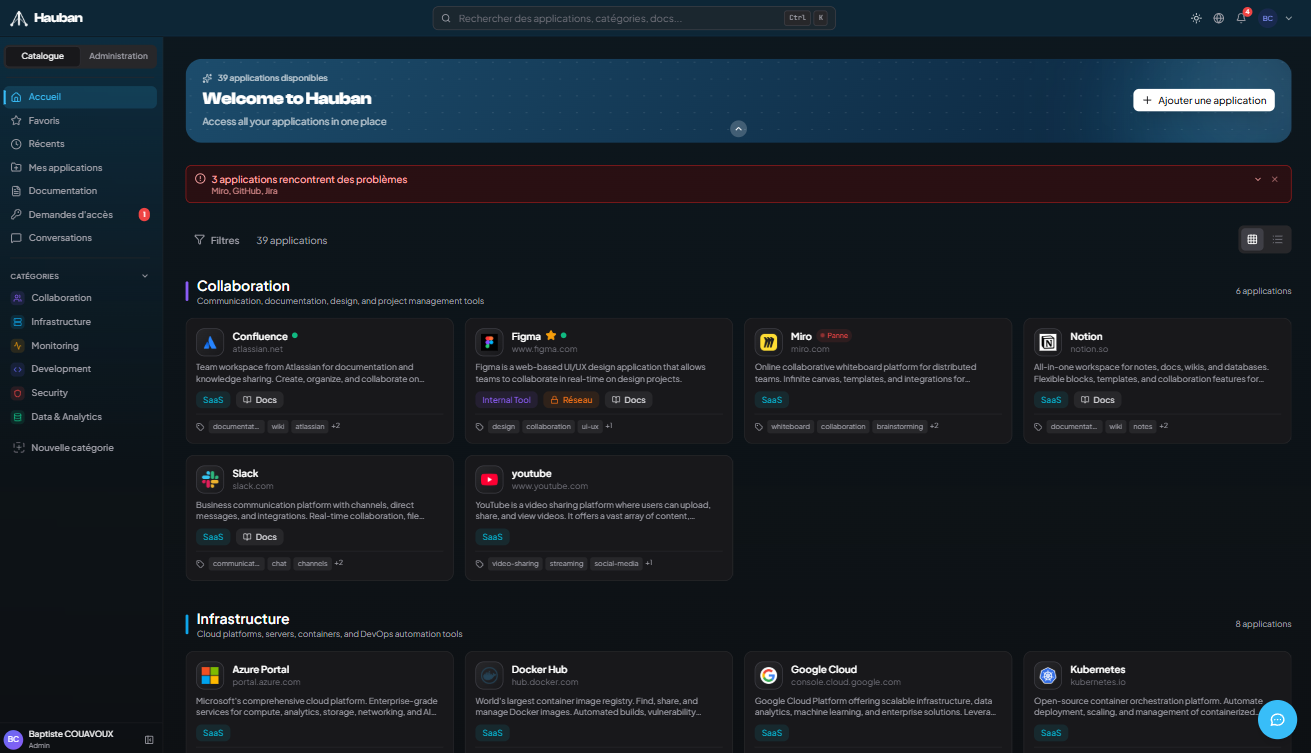
Sidebar
Quick access to home, favorites, recent, My Tools, categories, documentation, access requests and admin (if you have rights).
Global search
Instantly search for a tool, category or document. Ctrl/Cmd + K opens the command palette.
Home
Grid or list view of all apps you have access to. Filters by category, source type, tags.
User menu
Profile, settings, theme switch (light/dark), logout.
Floating chat
Bottom-right floating button to talk to the AI assistant. Toggleable in your settings.
Plans at a glance
Hauban offers three plans: Starter, Business and Enterprise. The 30-day free trial is available on the Starter plan only, with a 100 MB storage cap during the trial. No credit card required.